Designing Control Rooms for Operator Effectiveness
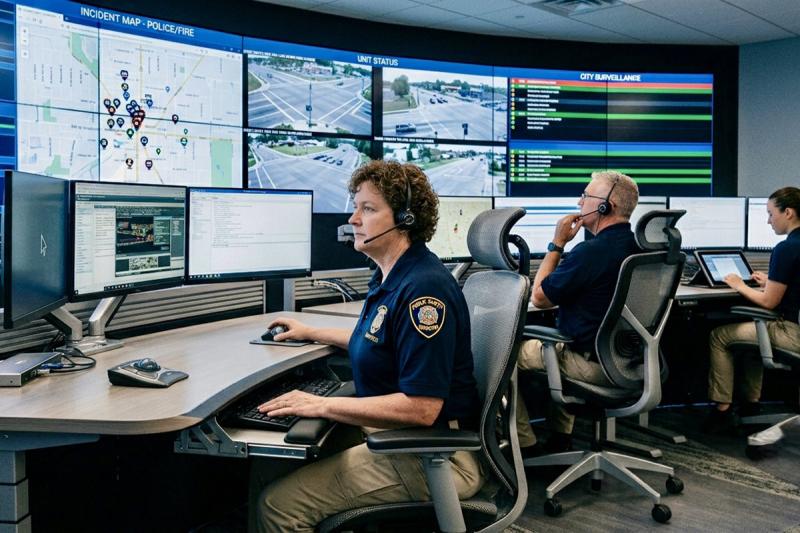
When planning a command and control room, it’s easy to focus on the technology. Displays, visualization platforms, KVM systems and other AV technologies often drive early conversations. Yet the most effective control rooms are defined not by the equipment they contain, but by how well they enable operators to make informed decisions under pressure.
Whether supporting public safety, utilities, transportation or industrial operations, today’s control rooms are information-intensive environments where operator performance directly impacts mission success. For systems integrators, that means designing around operator workflow first, then selecting technologies that support it.
That philosophy is reflected in ISO 11064, the international standard for ergonomic control room design. Rather than beginning with equipment specifications, the standard emphasizes designing from the operator outward, considering workstation layout, displays, lighting, acoustics and environmental conditions as an integrated system.
Reduce Cognitive Load
Many control rooms operate around the clock, requiring operators to maintain concentration for extended periods while monitoring multiple information sources and responding quickly to changing situations. Poor ergonomics, excessive noise, cluttered displays and poorly organized information all contribute to cognitive fatigue, slowing decision-making and increasing the potential for error.
History offers an important lesson. During the Three Mile Island incident, operators were confronted with conflicting alarms and incomplete information, making it difficult to diagnose the true condition of the plant. While technology has evolved dramatically since then, the underlying challenge remains unchanged: operators perform best when information is presented clearly, consistently and without unnecessary distraction.
Display design plays an important role in reducing cognitive load. Monitor placement, sight lines and thoughtful organization of visual information all influence how efficiently operators interpret data throughout a shift. Shared visualization systems also contribute by creating a common operating picture that enables operators, supervisors and decision-makers to collaborate around the same real-time information.
Simplify Access to Information
Today’s operators rarely interact with a single application or computer. Instead, they often work across multiple systems, networks and data sources simultaneously.
KVM technology has become an important tool for simplifying that environment. When evaluating KVM solutions, integrators should look beyond basic switching capabilities and consider how the technology supports operator workflow. The most effective systems allow operators to move naturally across multiple displays and connected computers using a single keyboard and mouse, reducing interruptions and eliminating the clutter of multiple input devices. The result is a workspace that feels more intuitive, allowing operators to focus on the mission rather than the mechanics of accessing information.
Display selection deserves equal attention. Consumer or gaming monitors are not necessarily the best fit for mission-critical environments. Control room operators benefit from displays designed to present multiple windows of information simultaneously, with aspect ratios and resolutions that maximize usable screen space while maintaining comfortable viewing during extended shifts. Selecting displays based on operational requirements, rather than consumer specifications, can significantly improve situational awareness and reduce the constant window switching that contributes to operator fatigue.
Design for Flexibility
No control room remains static. Operational priorities evolve, software platforms change and new information sources are continually introduced.
Successful designs accommodate those changes without forcing operators to relearn their environment. Adjustable workstations, ergonomic consoles and adaptable display configurations enable organizations to evolve while maintaining consistent workflows. Giving operators the ability to configure displays and tailor workspaces for different operational scenarios also improves efficiency and supports long-term user satisfaction.
Flexibility extends beyond the operator’s workstation. Integrators should also consider how technologies will interoperate with existing AV and IT infrastructure, allowing organizations to expand capabilities over time without adding unnecessary complexity.
Keep the Focus on the Operator
Technology specifications will always matter, but they are not the ultimate measure of a successful control room. The environments that deliver the greatest long-term value are those that help operators maintain focus, collaborate effectively and make confident decisions when every second counts.
When integrators prioritize ergonomics, intuitive access to information, effective visualization and adaptable workflows, they create environments that improve both operator performance and organizational resilience. In the end, the best control rooms aren’t defined by the sophistication of the technology they contain. They’re defined by how effectively they enable the people behind the consoles to do their jobs.
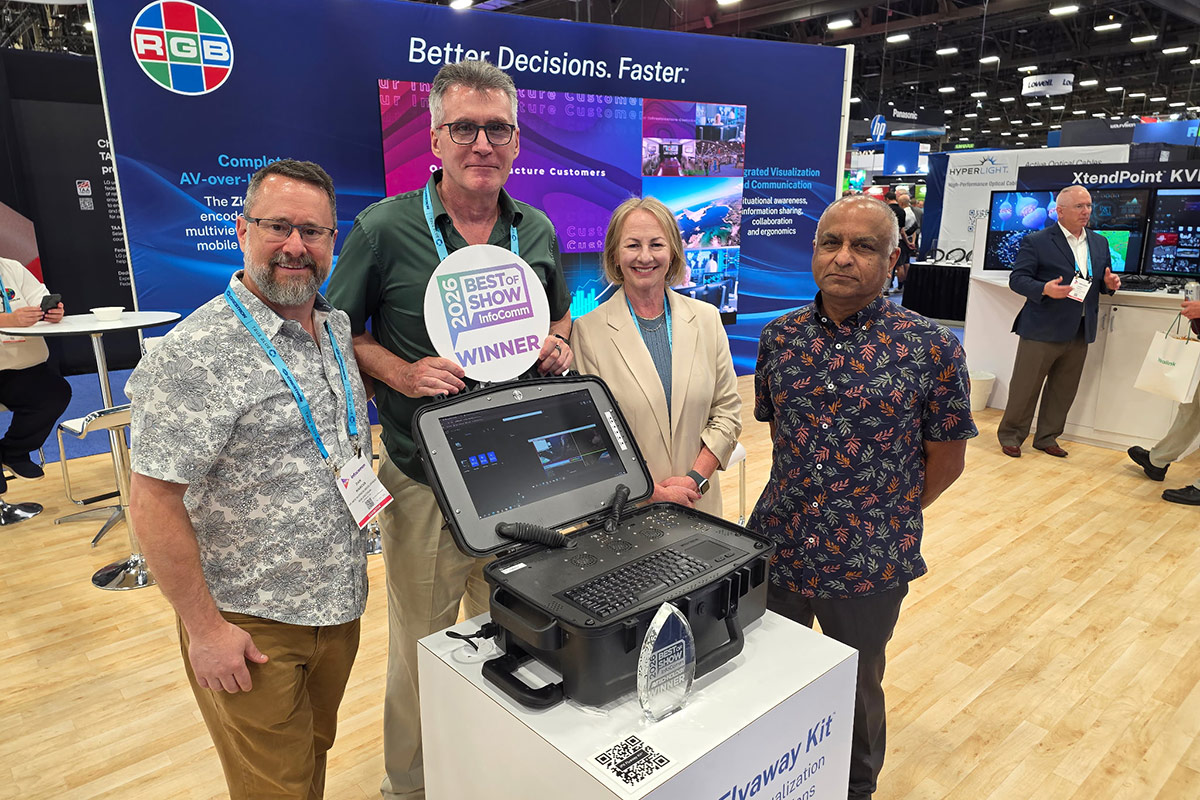
We're coming home from InfoComm 2026 with a trophy — a Best of Show award for the IPX Flyaway Kit, earned at one of the AV industry's most prominent annual events...
RGB Spectrum is expanding beyond government command-and-control video solutions into diverse industries. They focus on holistic control room design, emphasizing workflow optimization and high-quality wall processors. Their AV-over-IP technology and Zio product line enable flexible content distrib...
Nov 30 - Dec 3, 2026 | Orlando, FL
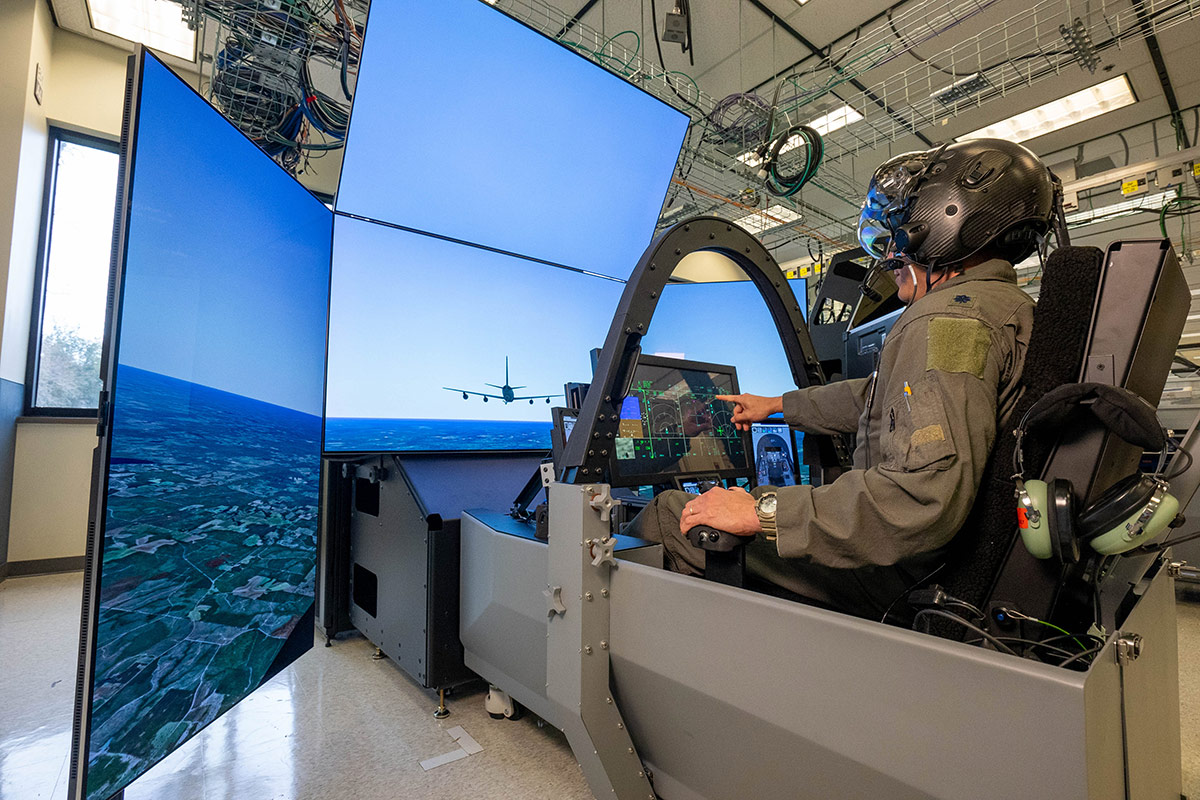
RGB Spectrum® plays a key role in the Modified Mission Rehearsal Trainer (MMRT) program, a Lockheed Martin innovation in F-35 pilot training and mission rehearsal. This groundbreaking program expands tactical training and mission rehearsal capabilities with a reduced physical footprint.
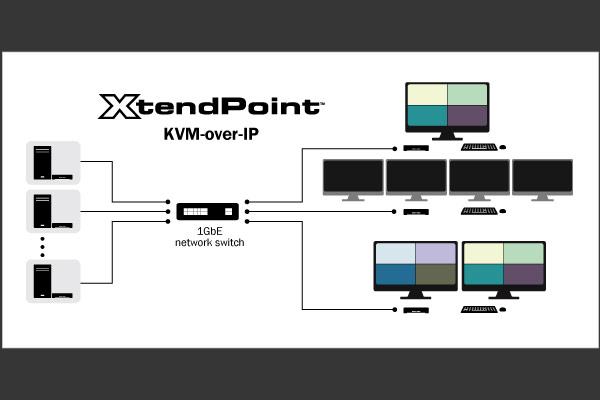
XtendPoint KVM-over-IP enables remote control of systems via Gigabit Ethernet with 40ms latency. Supports 4K displays, multi-head computers, and flexible configurations. Features include USB connectivity, secure encryption, Central Manager app, and scalable architecture...

RGB Spectrum’s Zio Video-over-IP Platform Powers Lockheed Martin’s Mission Planning and Rehearsal Trainer for the F-35
RGB Spectrum announces its role in Lockheed Martin’s Modified Mission Rehearsal Trainer (MMRT) program for F-35 pilot training and mission rehearsal. The Zio Video-over-IP platform delivers high-quality video streaming, recording and multiview playback across pilot cockpits, instructor stations and debrief rooms...