News Search


When the City of Norman, Oklahoma set out to develop its new Traffic Management Center (TMC), they didn’t just want an upgrade—they envisioned a smarter, more streamlined environment for real-time traffic monitoring and operational control.

Following a major reorganization, the Orange County Sheriff’s Department faced significant challenges in managing disparate resources across multiple locations. They needed a unified system to support real-time operations and continuous technological innovation. RGB Spectrum's XtendPoint KVM-over-IP system was selected to manage and distribute video and data across the facility to multiple devices and locations.


Trident Military Systems, LLC specializes in supporting flight simulation systems for military organizations, particularly the Air National Guard and Air Force Reserve. To ensure pilots and instructors have the best possible tools to train safely and effectively in a truly immersive environment, Trident needed to provide detailed cockpit visualization, synchronized video and network data, and robust debriefing capabilities.
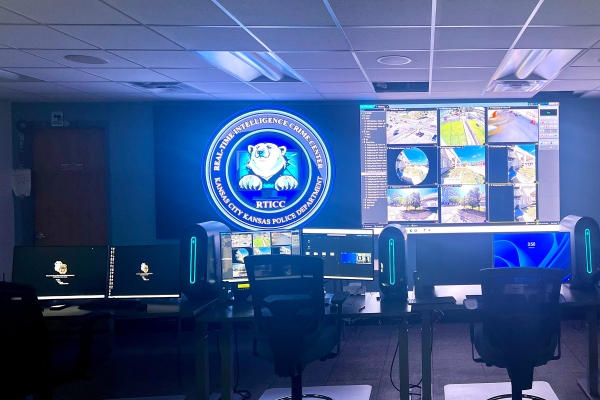

InfoComm 2024 in Las Vegas was phenomenal, highlighting the latest advancements and innovations in the audiovisual (AV) industry. The show was packed with industry leaders and trailblazers, demonstrating the future of AV technology and its applications.

RGB Spectrum continues to evolve from a leading provider of command-and-control video solutions for government applications to a pioneer in diverse industries.
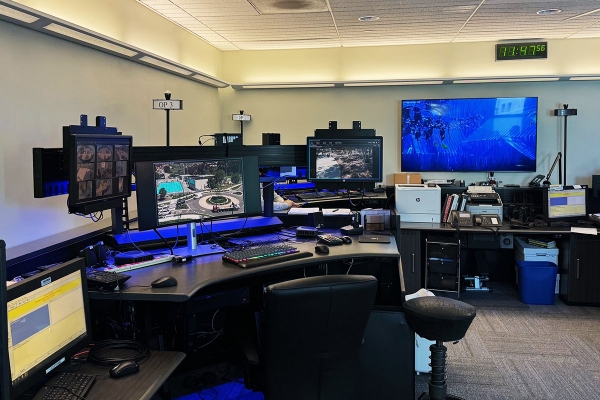
The University of California San Diego (UCSD) Police Department is a full-fledged law enforcement agency responsible for patrolling, investigating, and preventing crime within its jurisdiction. The department’s Communications Division serves as the nerve center, coordinating responses to emergencies, managing communications, and ensuring coordination among officers.

Organizations are increasingly turning to advanced video processing and distribution technology to fortify their security. RGB Spectrum stands at the forefront, simplifying and streamlining data sharing within and across organizations.

Step into the world of RGB Spectrum, where innovation meets necessity in the realm of control room solutions. As organizations navigate the complexities of modern operations, control rooms stand as bastions of efficiency and decisiveness.

As we approach the end of another remarkable year, we at RGB Spectrum want to take a moment to share some of the milestones that have set new standards in the world of video distribution, display, and recording.

Military training and simulation have undergone a significant transformation in recent years, largely thanks to advancements in video processing technology.

The trendy Red Hawk Casino, just a few miles north of Sacramento, California, is a major attraction for entertainment, dining, and gaming. Red Hawk Casino recently upgraded its popular Sports Bar with a captivating new entertainment system.

The world of military operations is evolving at an unprecedented pace, with technology playing a pivotal role in shaping how modern armies operate. Flight simulators are crucial to this evolution, and have become indispensable tools for training, research, and operational planning.

In today's rapidly evolving landscape, maintaining robust security has become paramount for organizations across the globe. Security Operations Centers (SOCs) play a pivotal role in safeguarding critical data, networks, and systems against a myriad of threats – both internal and external.

Video wall technology has come a long way in recent years, transforming how we perceive and interact with visual information. As advancements continue to reshape the industry, video wall processors have become more powerful, efficient, and versatile than ever before.

The Cowlitz 911 Center serves as the primary Public Safety Answering Point (PSAP) for a combination of thirteen law enforcement, fire, and medical response agencies in Cowlitz County, Washington.

AV-over-IP (Audiovisual over Internet Protocol) is a technology that enables the transmission of audio and video signals over IP networks. AV-over-IP has grown in popularity in the last few years, given the advantages of moving video over standard Ethernet networks.
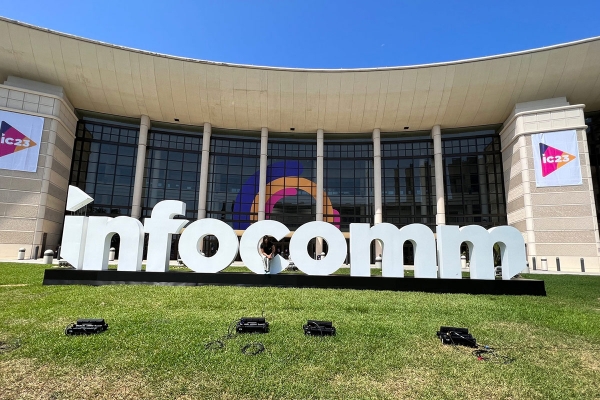
Hello, technology enthusiasts and industry professionals! Let's recap some of the excitement from InfoComm 2023 in Orlando, Florida, this year. From groundbreaking innovations to immersive experiences, this year's event has left us in awe.